CBS4 Indy500.9.0
Publisher Description
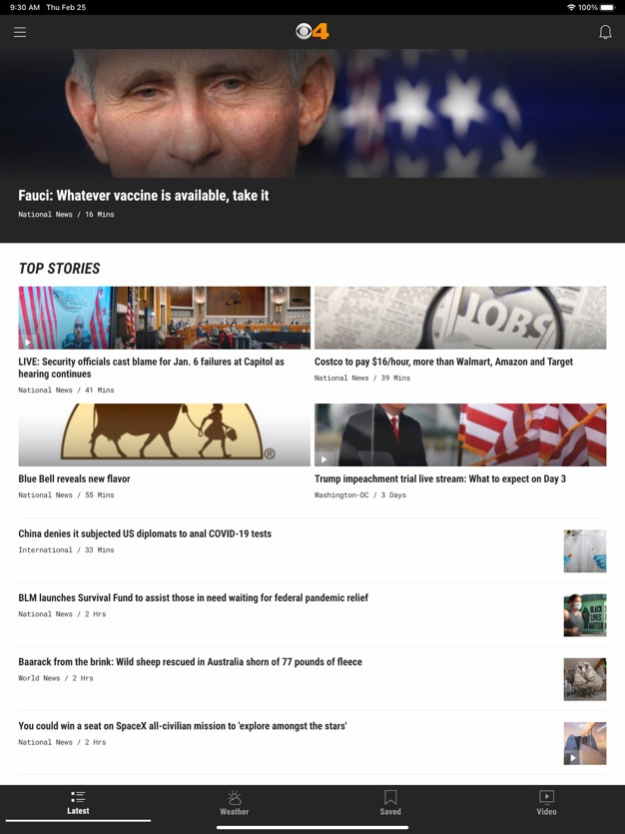
News has never been more local than in the palm of your hand. The CBS4 mobile app brings you all the top stories from our daily broadcasts, as well as stories developing in real time.
CBS4 News delivers the information you need for life in central Indiana, from in-depth local reports to your forecast first. Get new information for Indianapolis, Anderson, Bloomington, Carmel, Greenwood, Greenfield, Plainfield and beyond with the CBS4 news app.
FEATURES:
• Watch video of your trusted reporters on the scene, and read revealing articles on what's going on in your community.
• Plan your day and week with detailed weather conditions, live alerts of severe conditions, and an interactive radar map.
• Optional alerts on breaking news keep you in the know.
• On the go? Save stories for later to access at your convenience.
Jul 15, 2025
Version 500.9.0
We've fixed some bugs and improved general performance.
About CBS4 Indy
The company that develops CBS4 Indy is Tribune Broadcasting Company. The latest version released by its developer is 500.9.0.
To install CBS4 Indy on your iOS device, just click the green Continue To App button above to start the installation process. The app is listed on our website since 2025-07-15 and was downloaded 16 times. We have already checked if the download link is safe, however for your own protection we recommend that you scan the downloaded app with your antivirus. Your antivirus may detect the CBS4 Indy as malware if the download link is broken.
How to install CBS4 Indy on your iOS device:
- Click on the Continue To App button on our website. This will redirect you to the App Store.
- Once the CBS4 Indy is shown in the iTunes listing of your iOS device, you can start its download and installation. Tap on the GET button to the right of the app to start downloading it.
- If you are not logged-in the iOS appstore app, you'll be prompted for your your Apple ID and/or password.
- After CBS4 Indy is downloaded, you'll see an INSTALL button to the right. Tap on it to start the actual installation of the iOS app.
- Once installation is finished you can tap on the OPEN button to start it. Its icon will also be added to your device home screen.
Program Details
System requirements
Download information
Pricing
Version History
version 500.9.0
posted on 2025-07-15
Jul 15, 2025
Version 500.9.0
We've fixed some bugs and improved general performance.
version 500.8.0
posted on 2025-02-24
Feb 24, 2025
Version 500.8.0
We've fixed some bugs and improved general performance.
version 500.7.0
posted on 2024-12-18
Dec 18, 2024
Version 500.7.0
We've fixed some bugs and improved general performance.
version 500.6.0
posted on 2024-10-22
Oct 22, 2024
Version 500.6.0
We've fixed some bugs and improved general performance.
version 500.5.0
posted on 2024-08-13
Aug 13, 2024
Version 500.5.0
We've fixed some bugs and improved general performance.
version 500.4.0
posted on 2024-06-03
Jun 3, 2024
Version 500.4.0
We've fixed some bugs and improved general performance.
version 500.3.0
posted on 2024-04-09
Apr 9, 2024
Version 500.3.0
We've fixed some bugs and improved general performance.
version 500.1.4
posted on 2024-02-29
Feb 29, 2024
Version 500.1.4
We've fixed some bugs and improved general performance.
version 500.1.1
posted on 2024-02-02
Feb 2, 2024
Version 500.1.1
We've fixed some bugs and improved general performance.
version 50.11.0
posted on 2023-11-15
Nov 15, 2023
Version 50.11.0
We've fixed some bugs and improved general performance.
